
|
|
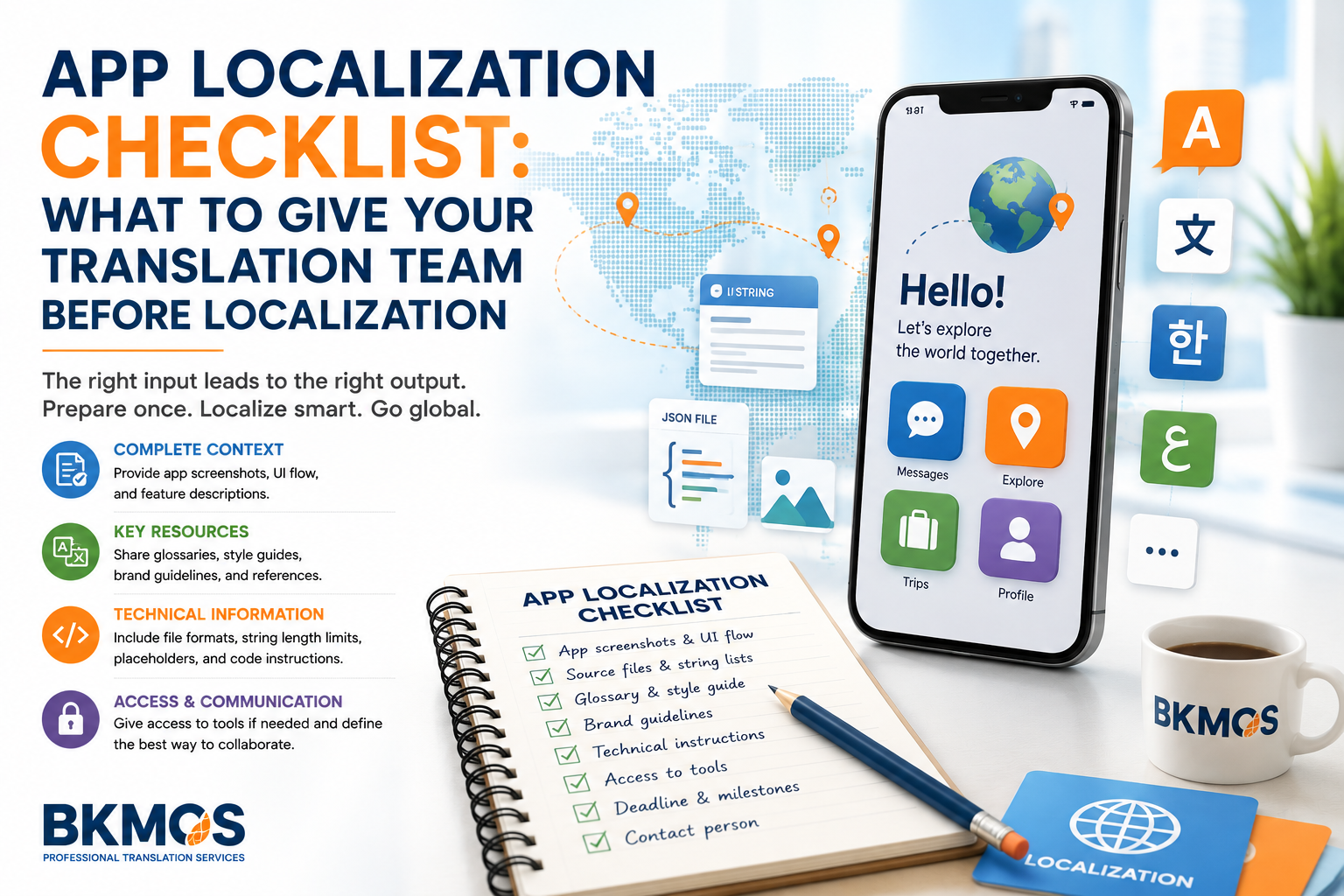
The goal is to give the translation team enough product, linguistic
and technical information to translate each string in context without
requiring them to reverse-engineer the app.
This guide explains what product teams should prepare before sending
an app for translation and localization.
What Should You Give Your Translation Team?
Product Context
Explain what the app does, who uses it and what the main
user journeys and product features are.
Localization Files
Provide the actual string files or structured exports together
with clear identifiers and version information.
Terminology & Style
Share product names, approved terminology, brand voice,
style guidance and reference translations.
Technical Constraints
Identify placeholders, variables, character limits, formatting
rules and strings that must not be translated.
Start by Explaining What the App Actually Does
A translator who understands the product can make better choices than
one working from isolated words. A short product overview can clarify
the app’s purpose, audience and major features before translation starts.
This is especially useful when the same English word can have different
meanings depending on whether it appears in navigation, payments,
account management, messaging, security or another part of the app.
Product documentation does not need to be long. It simply needs to
give translators enough context to understand the intended user experience.
Target Users
Who uses the app and what level of technical knowledge do they have?
Main Features
Explain the core functions and the most important user journeys.
Platform
Identify whether the project covers iOS, Android, web or several platforms.
Release Context
State whether the project is a new launch, update or continuous localization workflow.
Provide Strings in a Structured, Usable Format
The translation team should be able to identify each string, its source
text and its relationship to the app without manually copying text from screenshots.
JSON, XML, XLIFF, ARB, PO or other localization-ready formats.
Meaningful identifiers can help explain where and how a string is used.
Developer notes can provide context that is not visible in the source string.
Make sure the exported strings match the build or release being localized.
Identify product names, codes, variables or technical content that must stay unchanged.
Provide previous releases or approved translations where available.
Screenshots Can Resolve Ambiguous Strings Quickly
Short UI strings are often difficult to translate without seeing
the screen where they appear. A word such as “Save,” “Order,”
“Account” or “Close” may represent different actions or concepts
depending on the interface.
Screenshots, prototypes or access to a staging build can show translators
the surrounding labels, buttons, menus and user actions.
Visual context also helps identify text-length constraints before
localized strings cause buttons, tabs or dialog boxes to overflow.
Annotated Screenshots
Link screenshots to string IDs or specific screens where practical.
Prototype Access
Provide Figma or other prototype access when it helps explain the UI flow.
Staging Build
A test build can give translators first-hand context for complex interactions.
Screen Names
Identify where strings appear so questions can be resolved faster.
Give Translators the Language Rules of Your Product
Apps often reuse the same product terms across navigation, onboarding,
notifications, support content and marketing. A glossary can keep
recurring terms consistent across all of these touchpoints.
A style guide can also explain whether the app should sound formal,
conversational, concise, technical or playful in the target language.
Brand names, feature names and terms that should remain in English
should be identified before translation begins.
Glossary
Approved translations for product features, actions and recurring UI terms.
Style Guide
Instructions for tone, capitalization, punctuation and user address.
Brand Terms
Identify trademarks, product names and names that should not be translated.
Reference Translation
Share previously approved translations when consistency with earlier releases matters.
|
TECHNICAL INFORMATION
Tell Translators Which Parts of a String Are Technical
|
{user_name} → Preserve placeholder
%s / %d → Keep technical syntax intact
HTML / markup → Identify translatable content
Character limit → Communicate before translation
Do-not-translate list → Provide explicitly
|
Define the Market, Not Just the Language
“English,” “Spanish” or “Chinese” may not be enough information for
a localization project. Product teams should identify the actual target
locale and market whenever regional differences matter.
The target locale can affect terminology, date formats, number formats,
currency presentation, units, formality and other user-facing conventions.
The translation team should also know whether the same localized build
will serve several markets or whether separate locale variants are required.
Tell the Team Where Space Is Limited
Localized text can be longer or shorter than the source language.
A label that fits comfortably in English may overflow a button,
tab, navigation item or notification in another language.
Where the interface has a real character or pixel constraint,
the translation team should know it before translation rather
than discovering the problem only during localization testing.
Screenshots and prototypes are particularly useful for deciding
where concise wording is necessary.
Buttons
Identify controls where only a short action label can fit.
Navigation
Tabs and menu items may require concise, consistent terminology.
Notifications
Specify limits where operating systems restrict visible text.
Store Listings
Provide title and description limits for app-store metadata where relevant.
Give the Translation Team a Clear Way to Ask Questions
Even a well-prepared project can contain ambiguous strings.
A clear question-and-answer workflow helps translators resolve
uncertainty before assumptions enter the localized product.
Product, engineering or localization owners should identify the person
who can answer questions about product behavior, terminology and technical constraints.
For ongoing localization, keeping decisions in a shared glossary or
issue log can prevent the same questions from returning in every release.
Project Contact
Nominate a person who can answer product and terminology questions.
Shared Q&A
Record answers so they can be reused throughout the localization project.
Tool Access
Provide necessary access to prototypes, TMS platforms or test builds.
Review Ownership
Define who approves terminology and who performs in-context review.
Keep Translation Aligned With the Current App Build
App strings can change throughout development. New features may add
strings while product changes remove or rewrite existing content.
If translators work from an old export while developers continue
updating the source, the final translation package may contain
missing, obsolete or inconsistent strings.
Use version information, release dates or clear export names so
everyone knows which source package belongs to the current release.
App Localization Workflow
Package Review
Review files, target locales, context, technical constraints and deadline.
Terminology Setup
Prepare glossary, style guidance, do-not-translate terms and references.
Translation & QA
Translate strings and review placeholders, terminology and completeness.
In-Context Review
Check localized strings in the product or screenshots and resolve UI issues.
Before Handing Your App to a Translation Team
A complete handoff reduces avoidable questions and gives the localization
team the information needed to work efficiently from the beginning.
Related BKMOS Translation Services
Localization support for apps, software, websites and other
digital products entering multilingual markets.
Technical and specialist translation for product documentation,
support materials and related business content.
Send representative files and project requirements so BKMOS
can review the language, format and localization scope.
App Localization Handoff FAQs
Can we send only a spreadsheet of strings?
A spreadsheet can work for some projects, but translators usually
perform better when strings are accompanied by screenshots, comments,
product context and technical instructions.
Should translators receive access to the app?
When practical, a staging build, prototype or screenshot set can provide
valuable context and support more accurate in-context translation.
What should go in an app localization glossary?
Include recurring UI terms, feature names, product terminology,
approved translations and terms that should remain untranslated.
Do we need to explain placeholders and variables?
Yes. Translators should know which elements must remain unchanged
and how placeholders behave in the final interface.
When should localization testing happen?
In-context review should happen before release whenever possible,
especially for UI text where space, layout and interaction matter.
What should we send for a quotation?
Send sample strings or localization files, target locales, approximate
volume, platform information, required workflow and release deadline.
EXPERT REVIEW
Reviewed by Nguyen Dinh Phuc
Founder & CEO of BKMOS. Working in professional translation
since 2005 and responsible for BKMOS’s professional direction,
translation workflows and expert content.
Preparing Your App for a New Language?
Send BKMOS your localization files or representative sample strings
together with the target locales, platform, product context and
release deadline. We will review the content and project requirements
before quoting.
